WhatsApp End-to-End Encrypted Backups: How It Works and How to Enable It
🕘 Posted on: April 13, 2026 | Last updated on: April 13, 2026
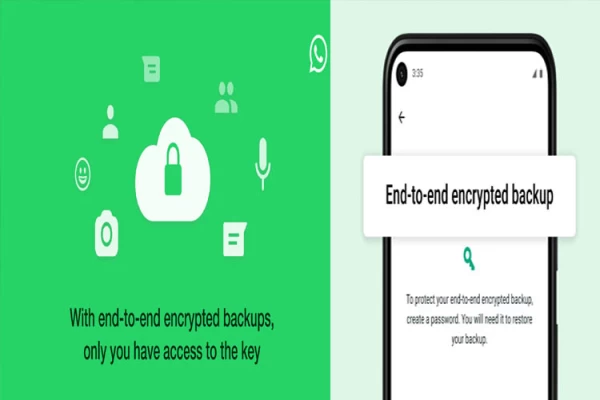
What Is End-to-End Encryption in WhatsApp
- WhatsApp protects user communication through its implementation of end-to-end encryption. The system maintains message confidentiality between the sender and receiver.
- WhatsApp converts user messages into encrypted code when users send messages. The recipient can only read the message after it arrives at their device. The content remains inaccessible to WhatsApp.
- The process relies on a 64-digit encryption key for its operation. The key exists only on the sender’s and receiver’s devices. If someone tries to intercept the data, the content appears unreadable.
Encryption for Chat Backups
WhatsApp now extends end-to-end encryption to chat backups. This feature protects data stored on cloud services like Google Drive and iCloud.
The encrypted backups consist of:
- Text messages
- Media files
- Voice messages
- Video call data
- Chat history
Users can secure backups with:
- A custom password, or
- A 64-digit encryption key
Most users who need this feature do not enable it despite its ability to provide additional security.
How to Enable Encrypted Backup on Android
Follow these steps to activate the feature on Android devices:
- Open WhatsApp
- Go to Settings
- Tap on Chats
- Select Chat Backup
- Tap End-to-End Encrypted Backup
- Select Turn On
- Choose Create a Passkey
Follow the on-screen instructions
The encrypted backup process will start after setup.
Optional:
- Tap More Options to use a 64-digit encryption key instead of a password How to Enable Encrypted Backup on iOS
Follow these steps for iPhone devices:
- Open WhatsApp
- Go to your Profile
- Open Settings
- Tap Chats
- Select Chat Backup
- Tap Back Up Now
- Select End-to-End Encrypted Backup
- Toggle Turn On
- Create a passkey by following the instructions
Related queries to this article
- Secret WhatsApp backups
- WhatsApp end to end encrypted backup
- WhatsApp backup security
- enable WhatsApp encrypted backup Android
- enable WhatsApp encrypted backup iOS
- WhatsApp chat backup encryption guide
- WhatsApp 64 digit encryption key backup
- WhatsApp passkey backup setup
- secure WhatsApp Google Drive backup
- secure WhatsApp iCloud backup
- WhatsApp privacy protection tips
- WhatsApp data security features
- how to protect WhatsApp messages backup
- WhatsApp encrypted chat backup tutorial
- WhatsApp backup safety Android iPhone
Read more articles and stories on InstaSity Latest News.